
Make ismee feel like your team.
Set the assistant's name and voice, add starter questions, choose whether to show the trust tag, and apply your brand.
Name & tagline #
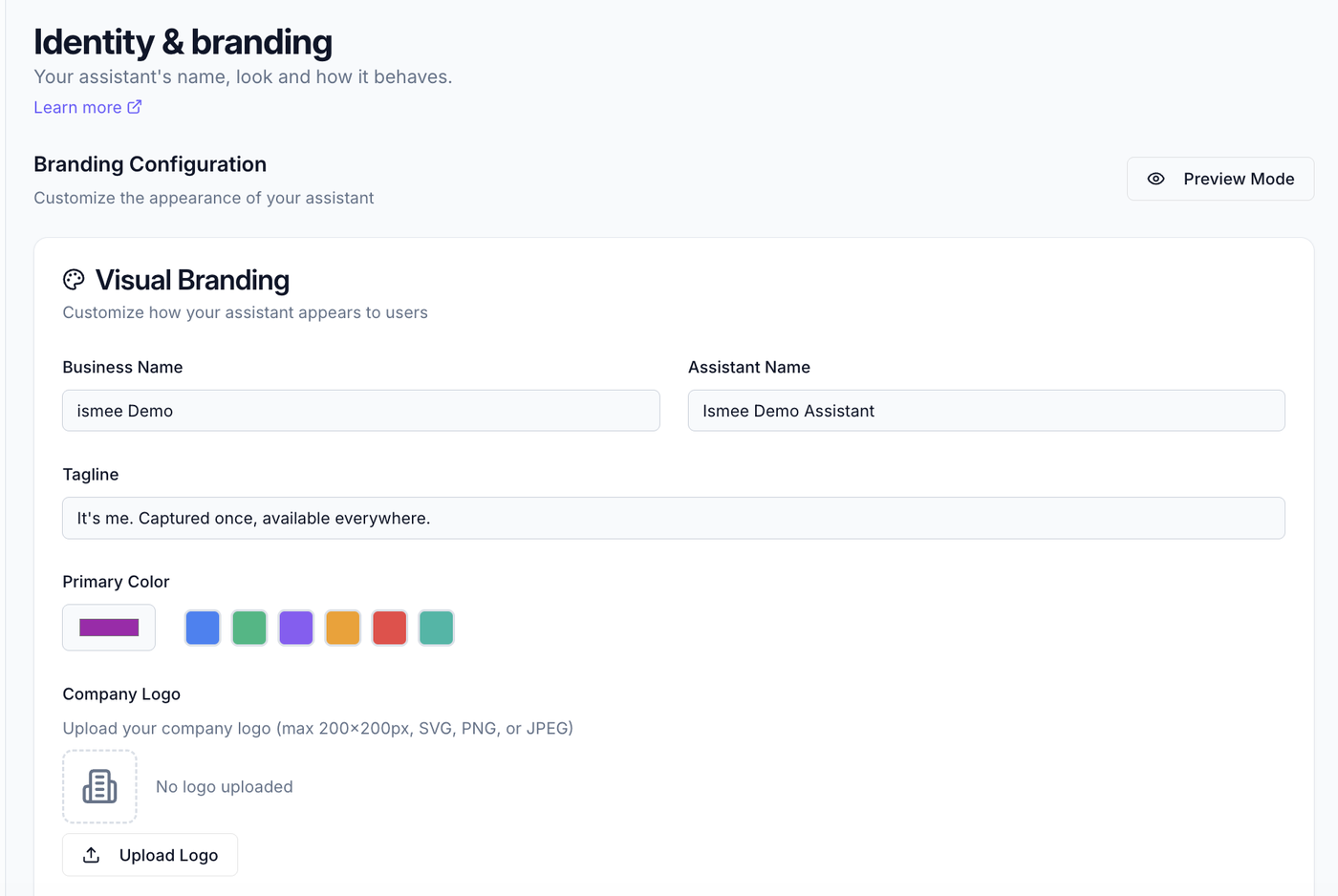
Go to Workspace → Identity & branding. Under Visual Branding, set your Business name, your Assistant name, and a tagline that greets people on the chat screen.
Starter questions #
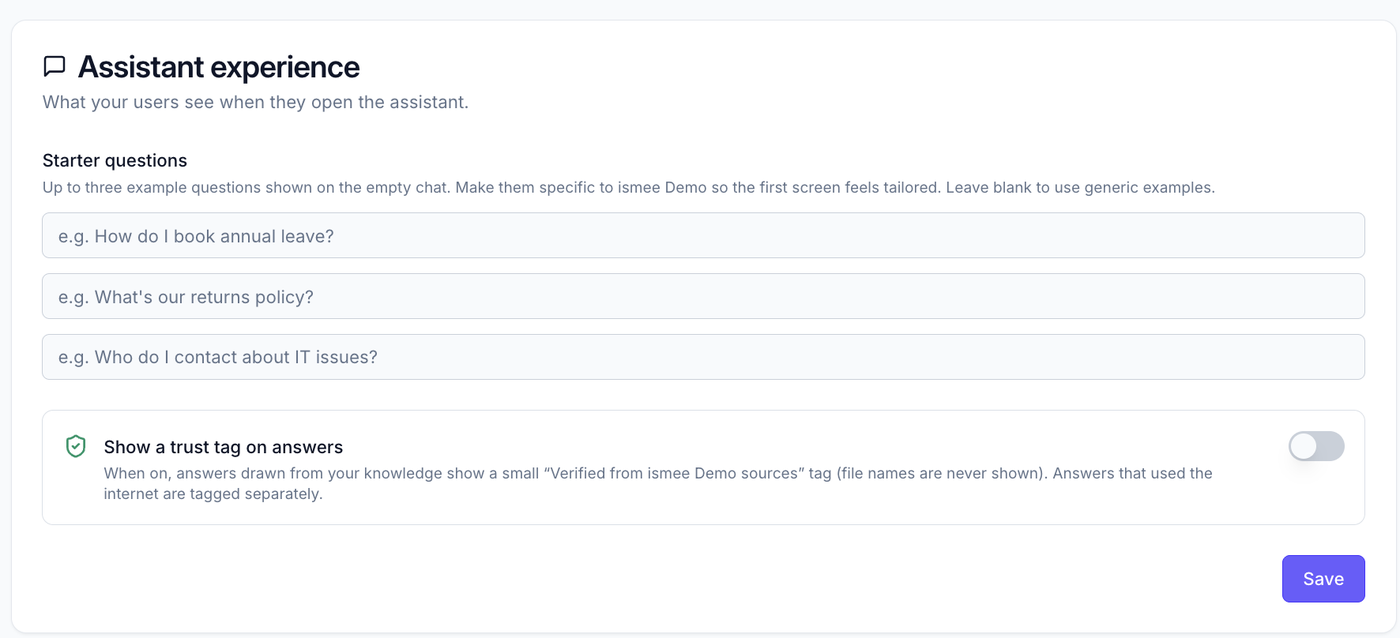
Add up to three example questions. These appear on the empty chat screen so people immediately know what they can ask. If you don't set any, ismee shows generic examples.
Trust tag #
Optionally turn on the trust tag: a "Verified from [Company] sources" label shown on answers that are grounded in your own knowledge (file names are never shown). A separate tag appears when the internet was used. It's off by default, and also shows in the admin Assistant preview so you can see how it looks.
Brand colours & logo #
Apply your brand colour and logo so the chat your team uses looks like your own product, not a third-party tool.
What to read next #
- Internet search, how internet answers are labelled.
- Getting started, the full setup path.