Your assistant
Let your assistant use the internet, when you allow it.
Fill gaps with public information for the questions your own knowledge doesn't cover, with those answers clearly flagged.
What it does #
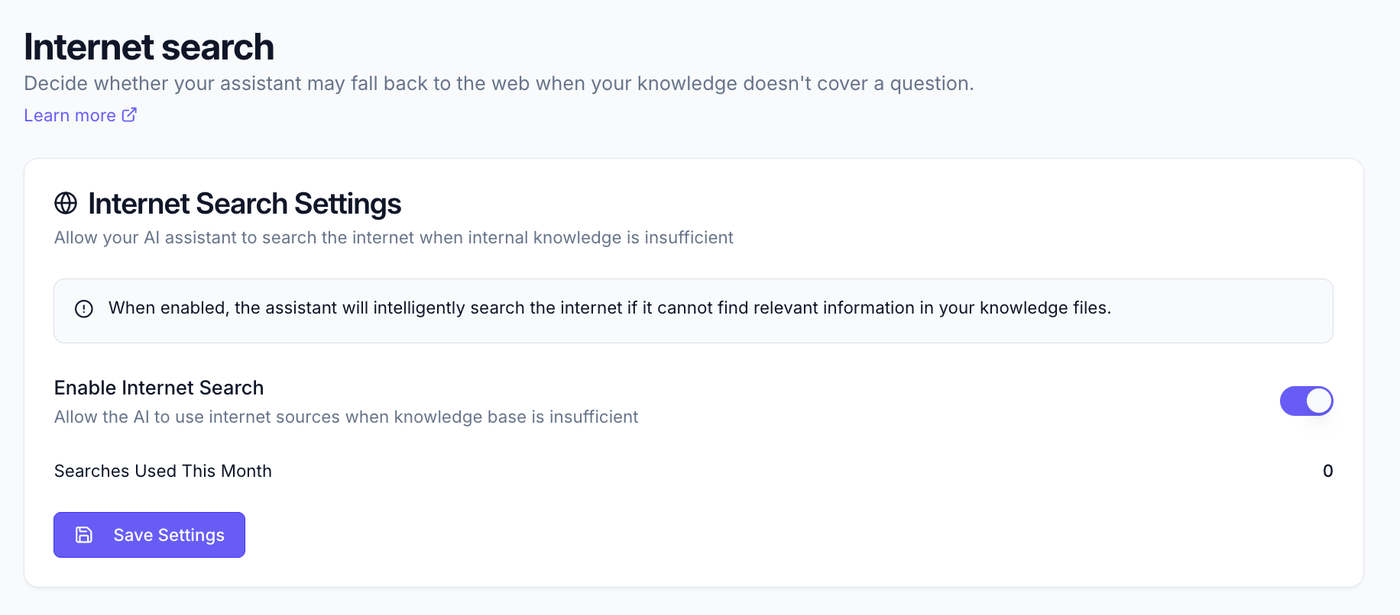
By default, your assistant answers only from the knowledge you've given it. Internet search lets it also draw on public information when your own knowledge doesn't cover a question, useful for general or fast-moving topics.
Turn it on #
- Go to Your assistant → Internet search.
- Toggle it on (or off).
Shortcut: if lots of questions are going unanswered, Knowledge insights shows a "turn on Internet search" nudge that jumps you straight here.
When to use it #
- On: helpful when your team asks about general or public information you haven't captured.
- Off: best when you want answers drawn strictly from your own, approved knowledge.
How answers are labelled #
Answers that used the internet are flagged, so it's always clear where information came from. If you've turned on the trust tag under Identity & branding, answers grounded in your own files carry a "Verified from [Company] sources" tag, with a separate tag when the internet was used.
What to read next #
- Knowledge insights, track web-search reliance over time.
- Identity & branding, the trust tag.