
Your assistant · Knowledge
Import ready-made answers as-is.
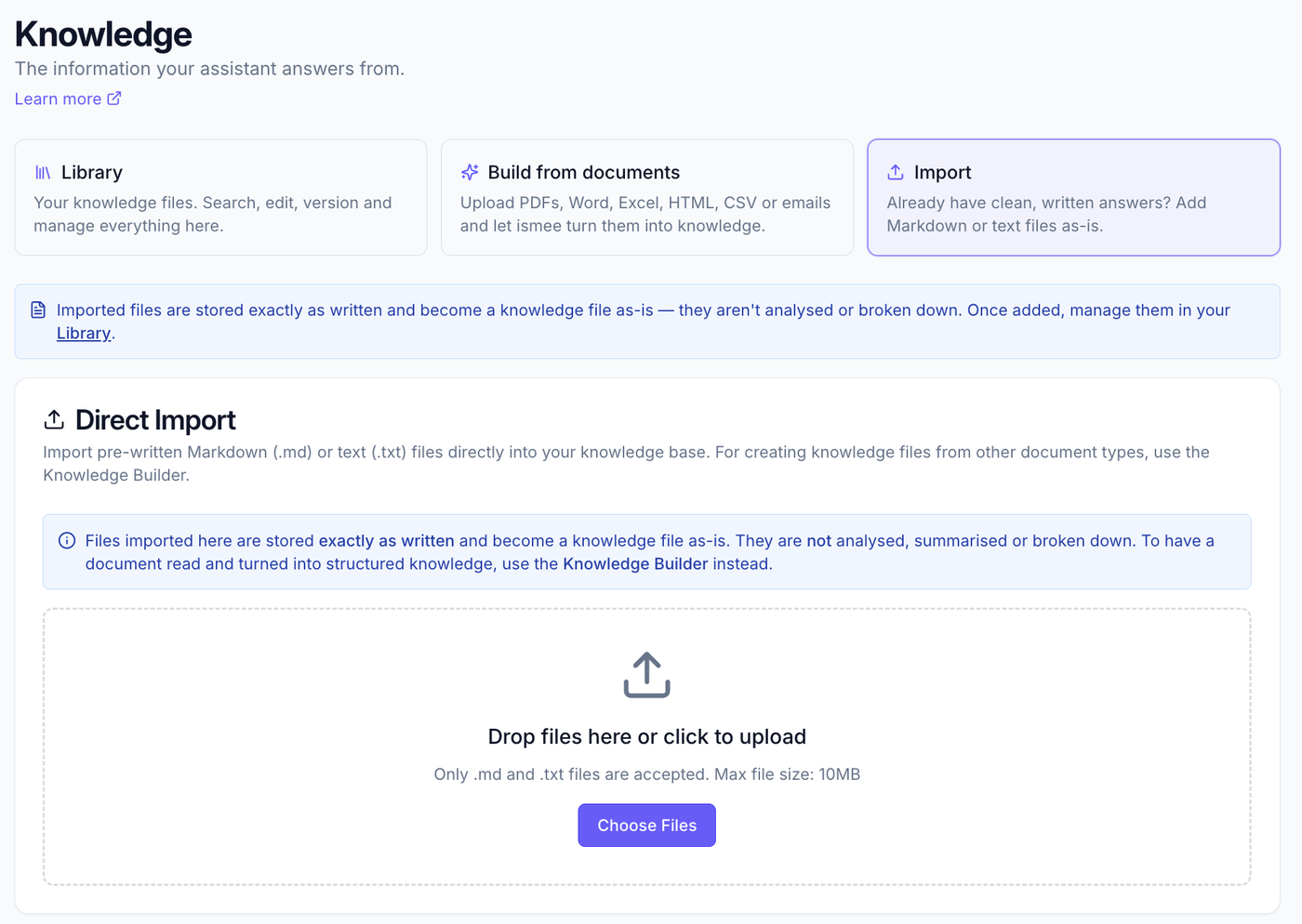
Already have clean, written answers? Import Markdown or text files straight into your knowledge base, stored exactly as written, with no processing.
When to use Import #
Direct Import is for content that's already written and ready to be an answer, a polished FAQ, a short policy, a note you've prepared. It's stored exactly as written and becomes a knowledge file as-is; ismee doesn't analyse, summarise or break it down.
Markdown (.md)Text (.txt)
Got PDFs, Word, Excel or emails instead? Those go through Adding knowledge (Build from documents), where ismee reads and organises them for you.
Import a file #
- Go to Knowledge admin → Add knowledge → Import as-is.
- Drop a .md or .txt file into the box, or click Choose files (max 10 MB per file).
- It's added to your Library straight away, exactly as written, ready to edit or manage any time.
Import vs Build from documents #
- Import: for ready-made .md / .txt answers. Stored as-is, no processing. Fast and exact.
- Build from documents: for PDFs, Word, Excel, HTML, CSV, emails and whole folders. ismee reads them, drafts structured knowledge, and you review before it goes live. See Adding knowledge.
What to read next #
- Adding knowledge, build knowledge from documents and emails.
- Getting started, the full setup path.