
Your assistant
Try your assistant without skewing your data.
Testing mode is an admin-only way to ask questions while you set things up, without those messages being logged or counted.
What it does #
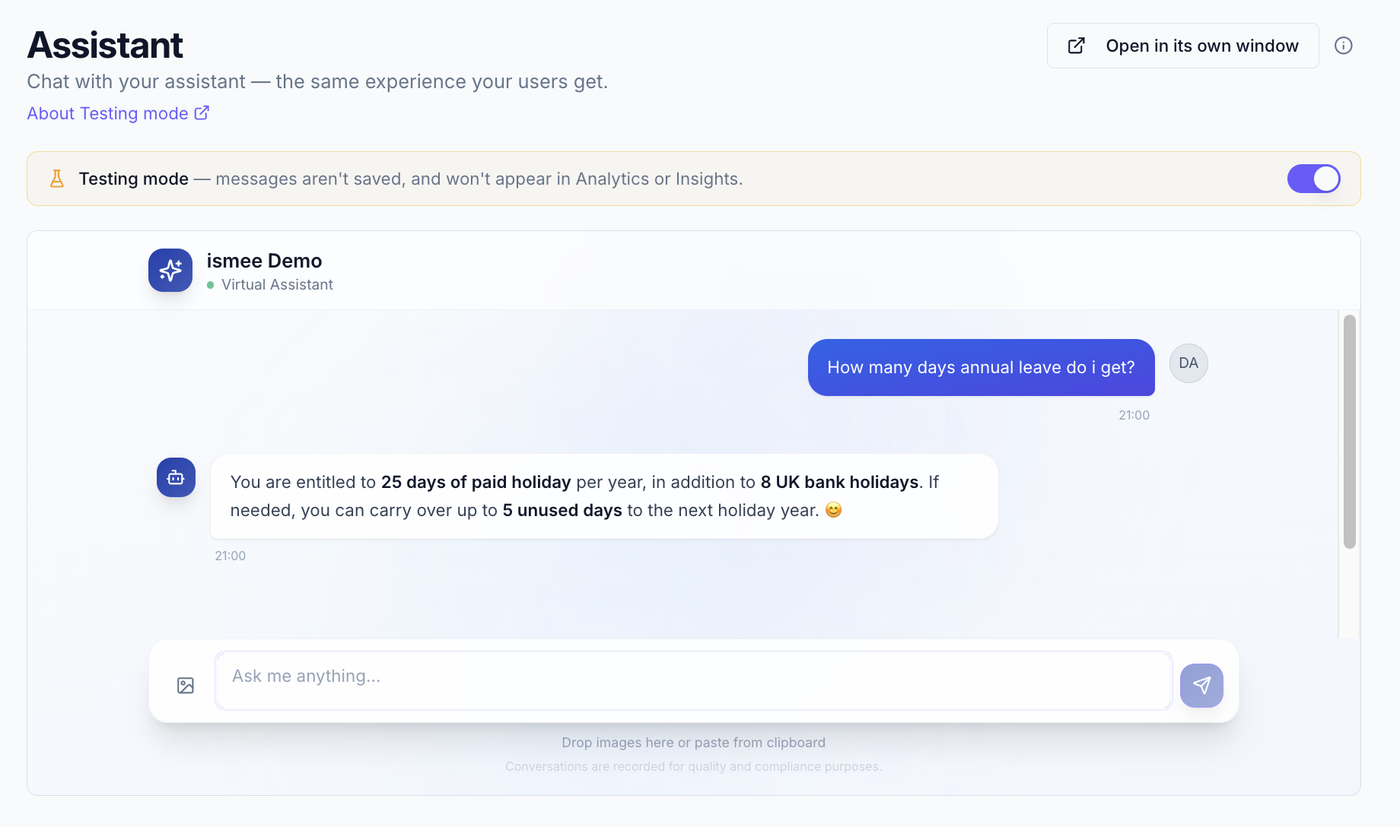
On the Assistant screen, the same experience your team gets, admins can switch on Testing mode to try questions without those chats being recorded. It keeps your real usage data clean while you experiment.
Turn it on #
- Go to Assistant & Documents.
- Switch on the Testing mode toggle. A slim bar shows it's on and what's being left out.
Pop-out window #
Use "Open in its own window" to try the assistant full-screen, exactly as a normal user would see it. It shows a "Live session" badge, a reminder that Testing mode does not apply there, so those messages count as normal.
What's excluded #
While Testing mode is on, your messages:
- aren't logged,
- don't appear in Analytics,
- and don't affect Knowledge insights or the utilisation panel.
What to read next #
- Knowledge insights, the data Testing mode keeps clean.
- Getting started, the full setup path.