See what your assistant knows, and what it doesn't.
Knowledge insights show where your knowledge is strong, where the gaps and conflicts are, and which knowledge is actually being used.
Coverage #
Open Insights → Knowledge insights. Coverage shows how strong your knowledge is across different areas, so you can see at a glance where your assistant is well-equipped and where it's thin.
Gaps #
Gaps are questions your assistant couldn't answer confidently from your knowledge. They're the clearest signal of what to capture next.
Conflicts #
Conflicts flag where your sources disagree: catching contradictions between documents before your team runs into them. Review each one and fix the source, so answers stay consistent.
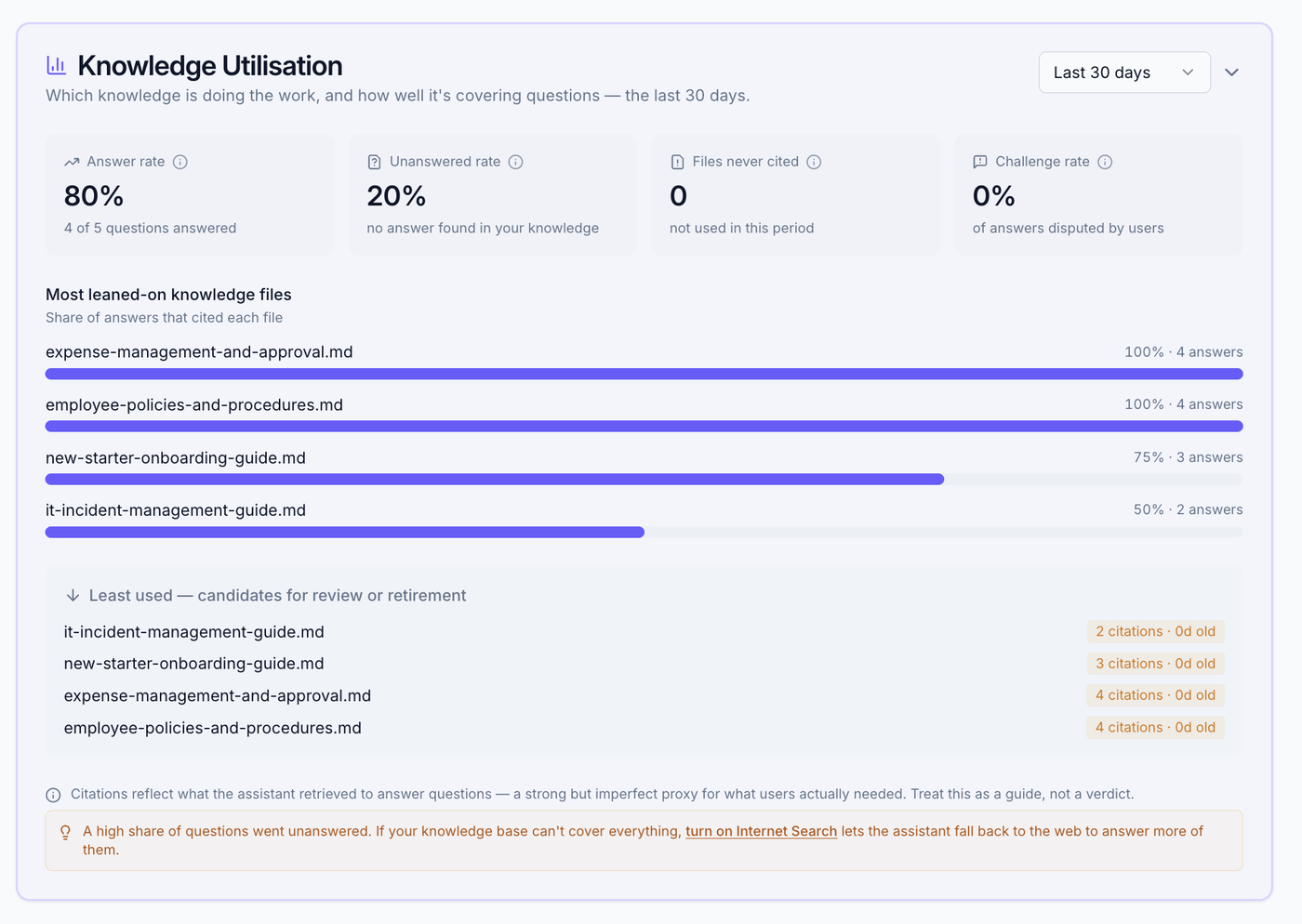
The utilisation panel #
At the top of Knowledge insights, the Knowledge Utilisation panel shows which knowledge is actually doing the work, not just where the gaps are:
- Answer rate: how often questions get a confident answer.
- Web-search reliance: the share of answers that needed the internet. A falling figure over time means your knowledge base is closing its own gaps.
- Files never cited: knowledge that isn't being used in the period.
- Challenge rate: how often answers are questioned.
Below the tiles: a chart of the most leaned-on files and a least-used list, with a period selector (7 / 30 / 90 days / all time).
Acting on insights #
- Use gaps to decide what knowledge to add next.
- Review least-used files, retire or improve dead weight.
- If web-search reliance is high, either add knowledge to fill the gap or turn on Internet search.
What to read next #
- Adding knowledge, fill the gaps you find.
- Internet search, let the assistant use public information.